Enhancing Productivity with MSI Business PCs and Microsoft Copilot & Copilot Vision
By Matias Ko|December 29,2025
All-in-One PCs
,
Desktops
Modern work isn’t just about location anymore; it’s really about how well ideas can turn into action. Small and medium-sized businesses (SMBs), educators, and professionals are all handling increasing complexity, limited time, and high expectations. That’s where MSI Business PCs with Microsoft Copilot come in, designed to simplify tasks by integrating AI into daily workflows. With Copilot Vision, productivity gets an added boost through real-time visuals that enhance decision-making with more clarity and confidence.
When combined with MSI’s business desktops, such as the Cubi NUC, PRO DP10, PRO DP21, PRO DP80, and PRO DP180 series, Copilot becomes a handy tool for getting things done, all built on reliable, commercial-grade hardware.
What Is Microsoft Copilot?
Microsoft Copilot is an AI assistant integrated into Windows and Microsoft productivity tools. It enables interaction with PCs using natural language, simplifying tasks like drafting content, summarizing information, and organizing tasks without having to switch between multiple applications.
For everyday work, Copilot assists in preparing emails, documents, and presentations, summarizing reports or meetings, and quickly grasping unfamiliar topics. By reducing repetitive tasks and manual effort, Copilot allows greater focus on decision-making and creative thinking rather than on administrative duties.
What Is Copilot Vision — and Why It Matters?
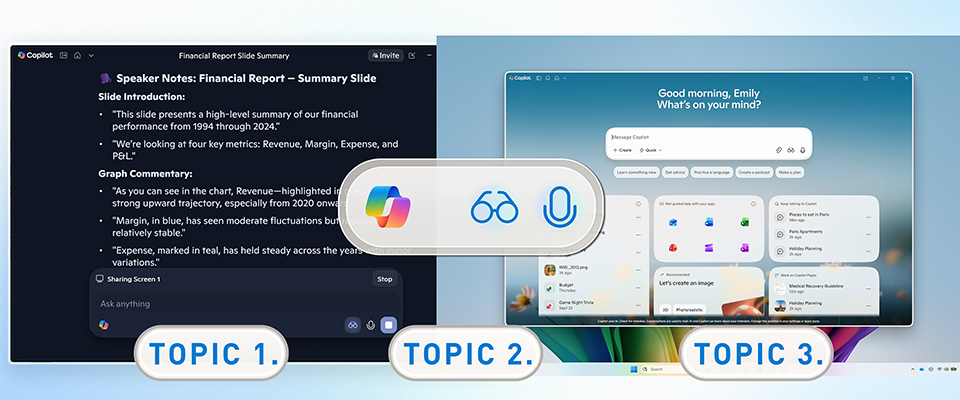
Copilot Vision takes Copilot to the next level by adding a visual touch. With your permission, it can see what's going on your screen and offer helpful, step-by-step guidance.
Instead of just talking about things in a complicated way, Copilot Vision highlights the important areas on your screen, explains what you're looking at, and helps you navigate unfamiliar software or processes. It's like having an extra pair of eyes to make tricky tasks easier. You don’t need to download anything extra; Copilot Vision is part of Microsoft Copilot. You can turn it on when you need it and switch it off anytime you want. For more details about Copilot Vision, please visit HERE.
Smarter Work for SMBs, Education, and Business Professionals with MSI Business PCs
Copilot Vision really shines in daily work. It offers visual and context-aware tips that make tasks easier for SMBs, educators, and business professionals alike. Let’s take a look at how Copilot and Copilot Vision can boost productivity in these different settings.
SMB: Practical Productivity Without Complexity
SMBs often have limited IT resources, and employees usually wear many hats. This means tools need to be easy to use, reliable, and immediately useful.
Copilot helps SMB users by speeding up daily office tasks like writing emails, preparing quotes, organizing documents, and summarizing sales or operational data. Tasks that once took a long time can now be done faster, allowing teams to focus on customers and growth.
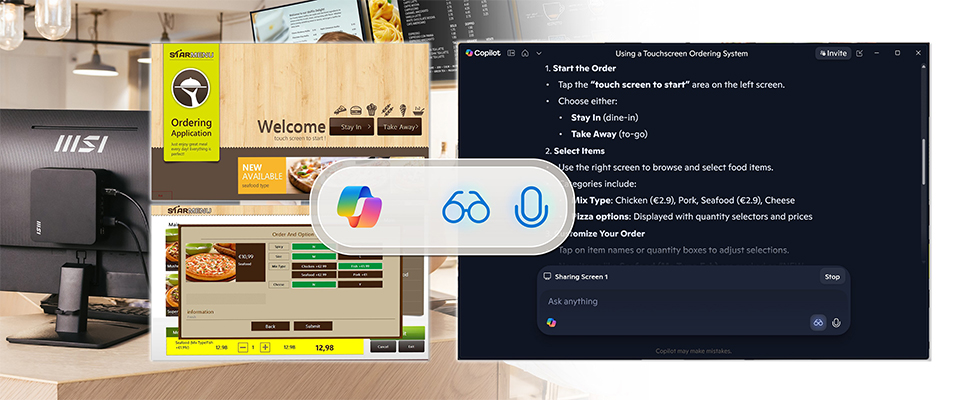
Copilot Vision adds value by guiding users visually through accounting systems, inventory tools, POS applications, and CRM dashboards. This is especially helpful for retail and service businesses where staff may not use certain systems every day. Compact systems like the MSI Cubi NUC and PRO DP10 series fit well on retail counters, reception desks, and in back offices, providing reliable performance without taking up too much space.
As businesses grow and workloads increase, the MSI PRO DP21 delivers enhanced performance for multitasking users working with multiple applications and displays. With Copilot Vision, it helps reduce errors, speeds up onboarding, and keeps workflows consistent across teams.
Education: Supporting Teachers and Empowering Students
Technology in education should make learning easier. Teachers need tools that help them save time, and students need clear guidance to learn independently.
Copilot helps teachers quickly create lesson plans, quizzes, and teaching materials. It can summarize content and suggest simpler ways to explain difficult topics, giving teachers more options in the classroom.
Copilot Vision helps teachers use digital teaching platforms and software, especially when learning new tools. In classrooms and computer labs, the MSI Cubi NUC series and PRO DP10 desktops provide reliable performance for daily teaching tasks and are easy to set up and manage.
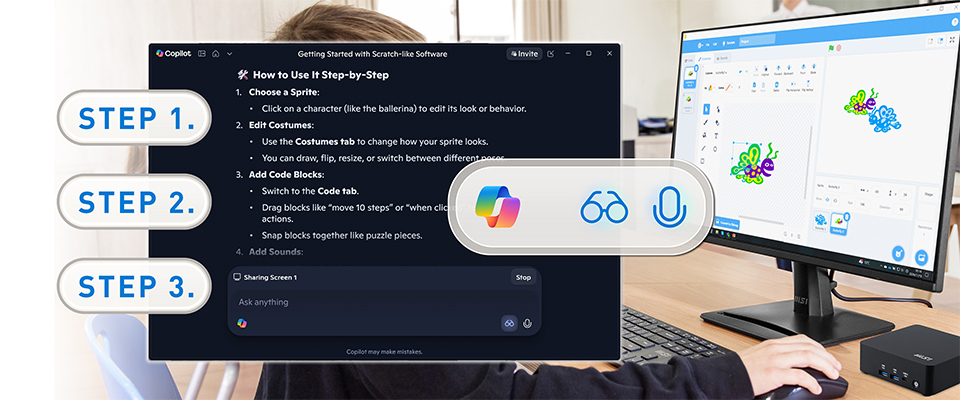
For students, Copilot explains concepts in simple language, while Copilot Vision provides step-by-step visual guidance for learning software or completing assignments. In more advanced settings, such as computer labs or shared workstations, the MSI PRO DP21 and PRO DP80 offer the performance needed for multitasking, research, and creative projects.
Business Professionals: Working Smarter, Not Longer
Business professionals like consultants, analysts, marketing teams, and finance departments handle a lot of information across various applications. Their productivity depends on quickly turning this information into valuable insights.
Copilot helps them by summarizing long reports, pulling out key points, and creating ready-to-send documents. It condenses meetings, emails, and research into clear, actionable information, which saves time spent on manual reviews.
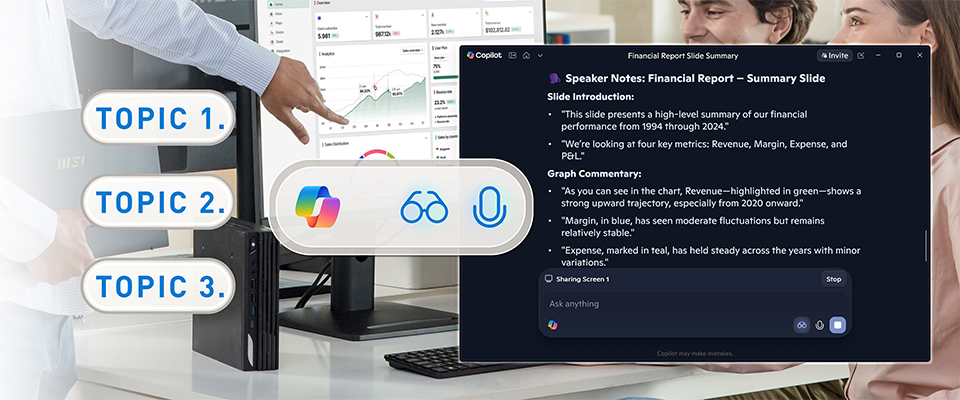
Copilot Vision makes it easier for professionals to navigate data dashboards, financial systems, and complex documents. It highlights important details and guides users through workflows. This feature works especially well on MSI PRO DP80 desktops, which are built for power users who need reliable performance for multitasking. For more demanding tasks, like using multiple displays or system monitoring, the MSI PRO DP180 series offers expandability and stability. With Copilot Vision, professionals can manage complex systems more confidently and with fewer interruptions.
How to Access Copilot Vision
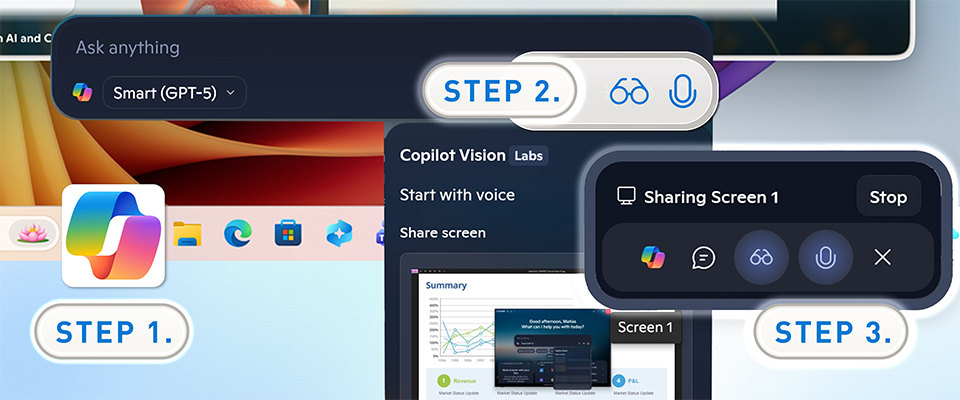
Copilot Vision is built right into Microsoft Copilot, so users don’t have to install anything separately. You’re always in control and can stop sharing your screen whenever you want. Here are two options for enabling Copilot Vision:
Option 1: Copilot
Enable the Copilot from the Windows taskbar, by using a keyboard shortcut, or through the usual Copilot interface.
When you need visual help, just click the glasses icon in the Copilot interface to enable Copilot Vision.
Enjoy Copilot Vision with text or even through voice commands.
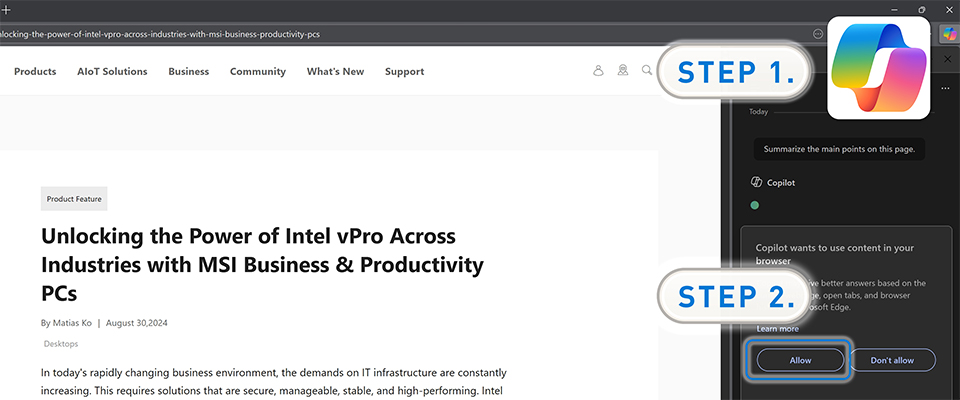
Option 2: Microsoft Edge
Click the Copilot button in the top-right corner of the Microsoft Edge browser.
When you need visual help, it’ll ask for permission to view your screen and will then provide real-time guidance.
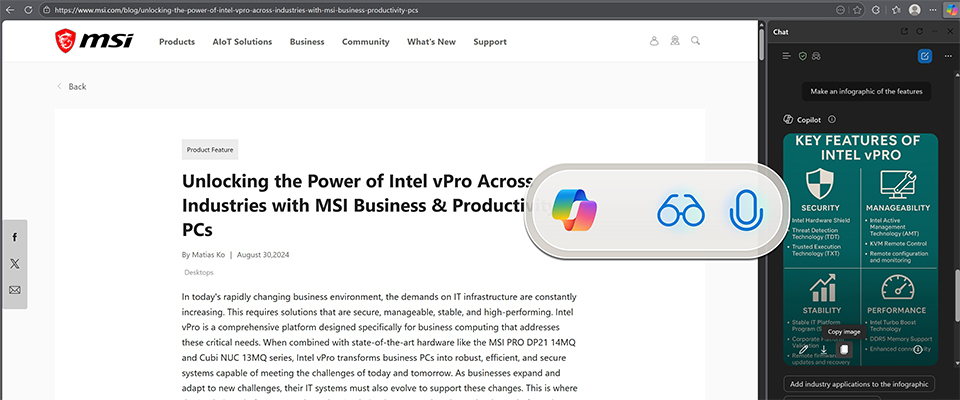
Enjoy Copilot Vision while using the Microsoft Edge browser. It can even create infographics based on the content displayed on your screen.
Microsoft Copilot and Copilot Vision offer a new way to work by providing clear guidance instead of guesswork. They help SMBs run their operations more smoothly and decrease training time. In schools, these tools assist teachers and help students learn independently. For business professionals, Copilot makes complex tasks easier and improves decision-making. When paired with MSI business desktops, Copilot becomes a dependable and scalable tool that helps organizations work smarter, faster, and with more confidence every day.